
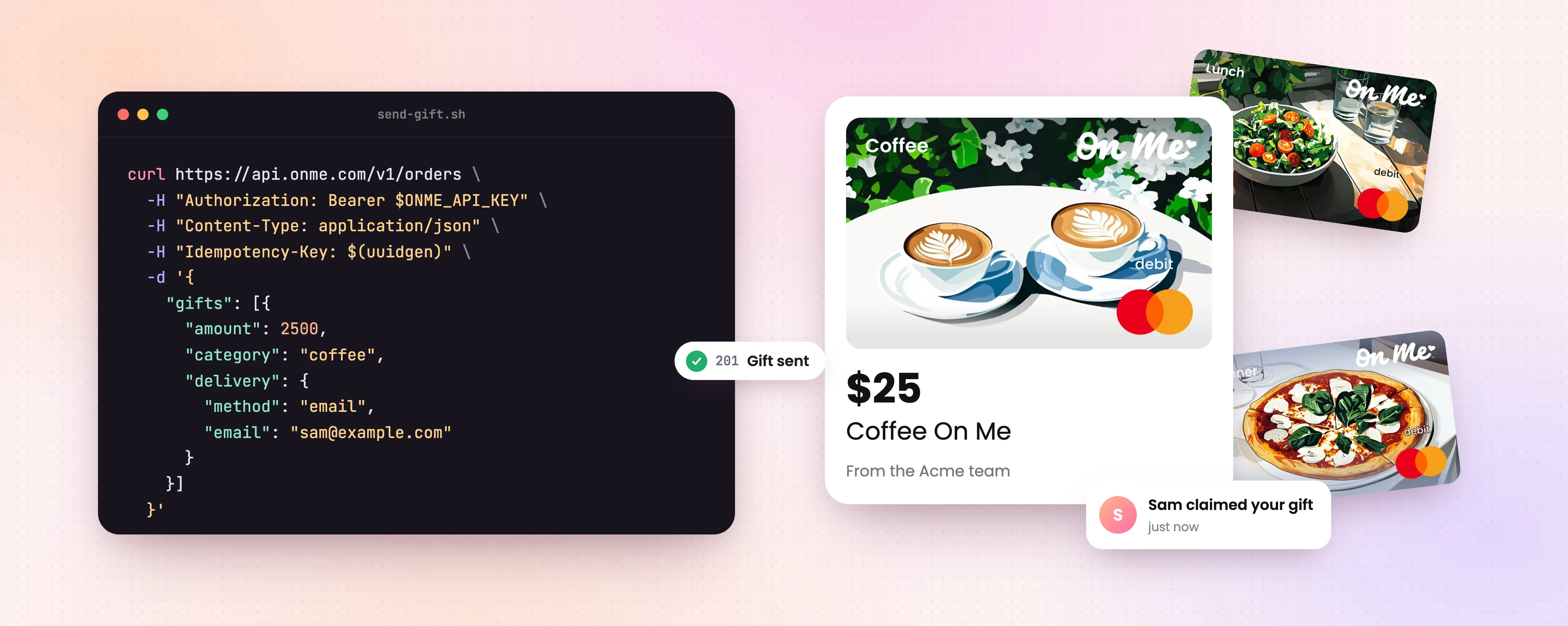
Gifts, sent from your code
Today we're opening early access to the On Me API. Your product can now send a real, spendable gift the moment something worth celebrating happens.
Business gifting has always been something you plan: a spreadsheet, a holiday list, an afternoon in the portal. Thousands of teams already do that with On Me. The API lets a gift go out when the moment actually happens, while it still means something.
Here's a whole order
Pick a category, set an amount and describe how the gift should be delivered:
curl https://api.onme.com/v1/orders \
  -H "Authorization: Bearer $ONME_API_KEY" \
  -H "Content-Type: application/json" \
  -H "Idempotency-Key: $(uuidgen)" \
  -d '{
    "gifts": [
      {
        "amount": 2500,
        "category": "coffee",
        "delivery": { "method": "email", "email": "sam@example.com" },
        "personalization": { "recipient_name": "Sam" }
      }
    ]
  }'
That's it. Sam's coffee is on its way.
Sam gets an email from your company that greets them by name. They claim the gift onto a virtual card and pay with Apple Pay or Google Wallet at the coffee brands it covers. On your side, there's no card to charge and no checkout to build.
What you can build with it
- Rewards and incentives. Send a $25 coffee gift when someone finishes a research interview or refers a friend.
- Employee moments. Connect it to your HR system, and every first day and work anniversary comes with lunch on the company.
- Customer thank-yous. A deal closes in your CRM and the new customer gets dinner on you.
- Gifts inside your own app. Choose link delivery and we don't email or text anyone. We hand you a URL, and you put it wherever your users already are.
- Agents that say thanks. Let your AI support agent send a $10 coffee when an order shows up late.
Send your first gift
An admin on your team can get an API key under Account → Developers in the business portal. No access yet? Hit Request access on the same page and we'll email you when it's on.
Then follow the quickstart. It takes about five minutes and ends with a $10 gift sent to yourself. If you use a live key, the gift is real! So claim it and go get a coffee.
Want to try it without spending anything? Switch the business portal to Sandbox mode and create a sandbox key. Your code calls the same API and gets the same responses, but no card is charged and no message goes out. When you're ready to go live, swap the key. Nothing else changes.
You can also hand the whole job to an AI assistant. Our docs come as a single file written for coding agents, so an assistant can read the entire API in one go and write the integration for your stack. Open it in Claude or ChatGPT with the prompt already written.
The API is in early access and is subject to change for the next few months. Tell us what you build, and anything that gets in your way, at feedback@onme.com.